
Introduction
New Patients Report:
- Displays detailed information about the new patients who are created within the selected date range.
- Data displayed in report Per branch.
(New Patients) report could be accessed from:
- Analytics >> Financials >> New Patients.
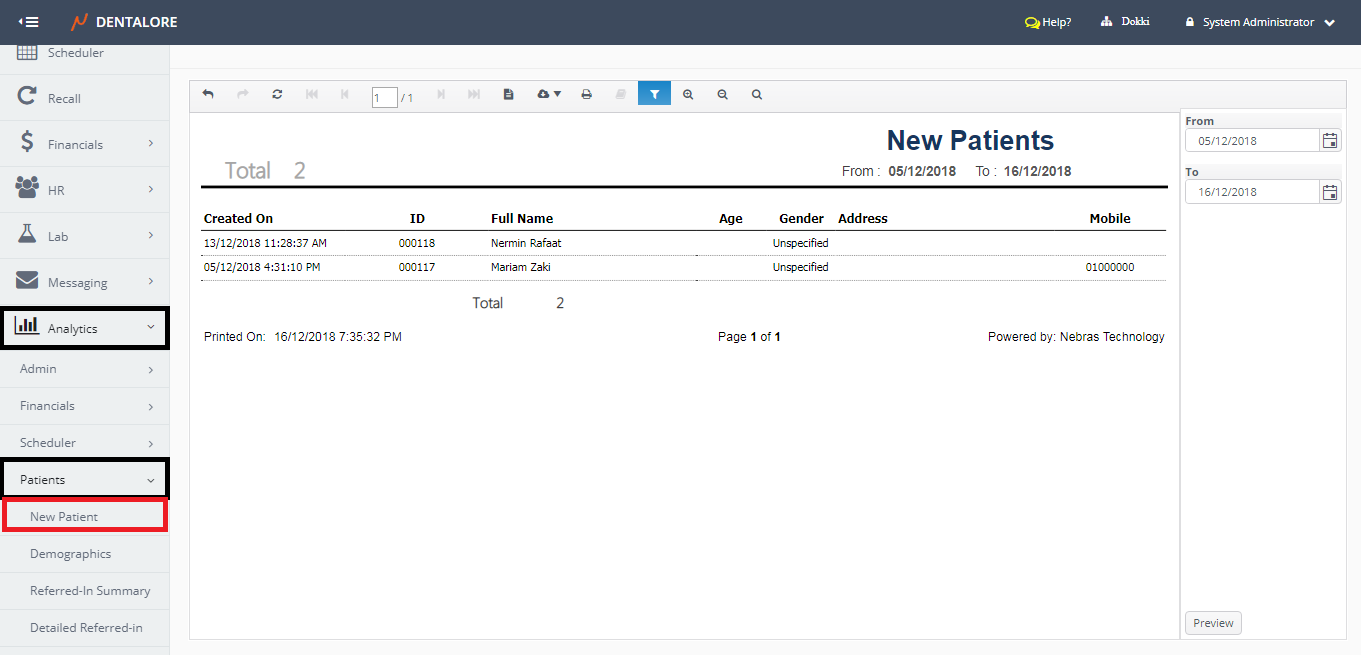
Filtration
- Date Range
- (From) and (To) fields enables user to select the required date range.
- Date filtration depends on the Creation Date of patient’s account.
- Default Selection: Current Month.
Note: The number of days between ‘From’ date and ‘To’ date can NOT exceed 31 Days.
Content
Header
At the report’s header the following field is displayed:
– Label (Total): Displays the total count of patients displayed in report within the selected date range.
Body
New Patients report displays data grouped in a grid view whose columns are:
- Created On
- Displays the date when the patient’s account is created on DentaLore System. - ID
- Displays the patient’s ID. - Full Name
- Displays the patient’s Name. - Age
- Displays the patients’ age. - Gender
- Displays the patients’ gender that could be: Male, Female, Unspecified or Other. - Address
- Displays the patient’s address. - Mobile
- Displays the patient’s Mobile.