The final step of the recall record is creating an appointment for the patient, by that way the user succeeded to fulfill the main purpose of the patient’s recall.
To Add Visit (Appointment) for a recall, follow the following:
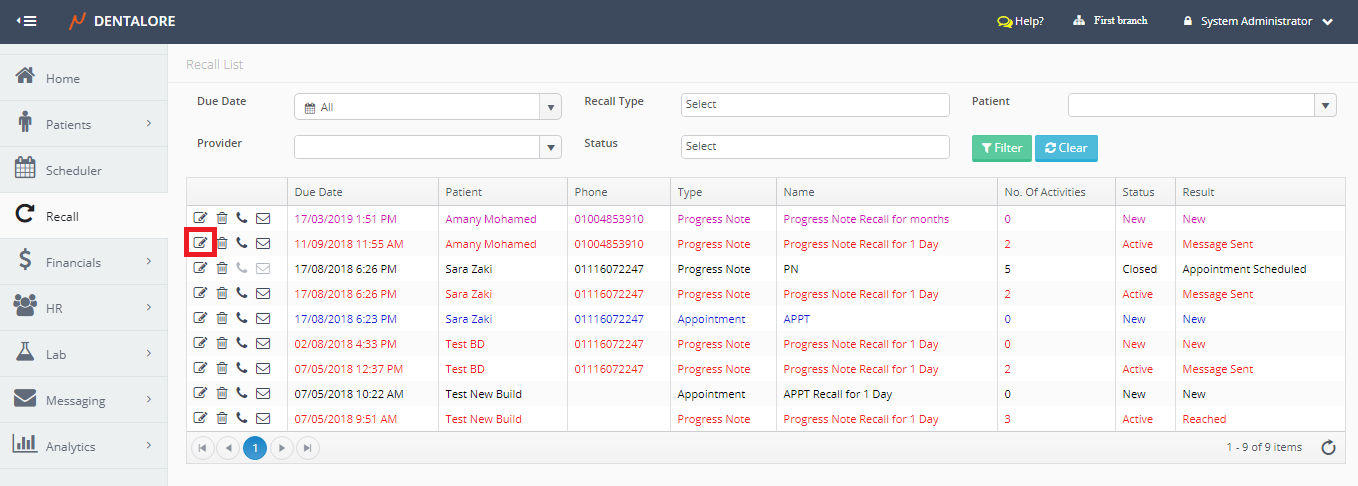
- Select Recall Module. Directly the Recall List View page opens.

- Select the required Recall Record and Press the “View” icon.
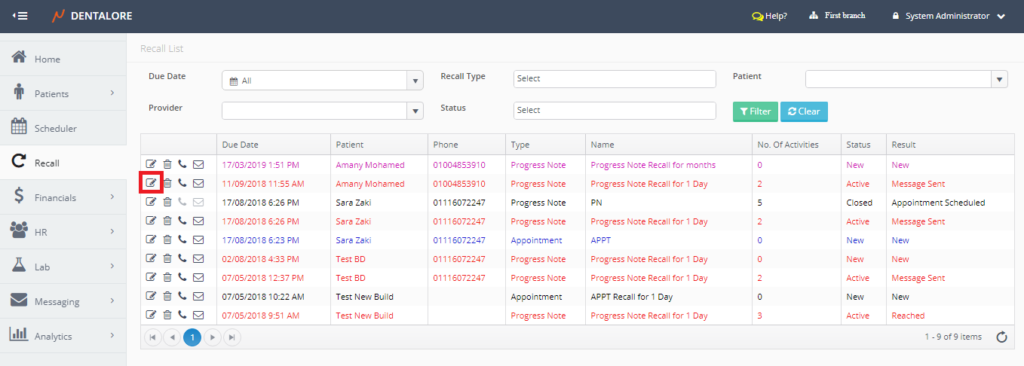
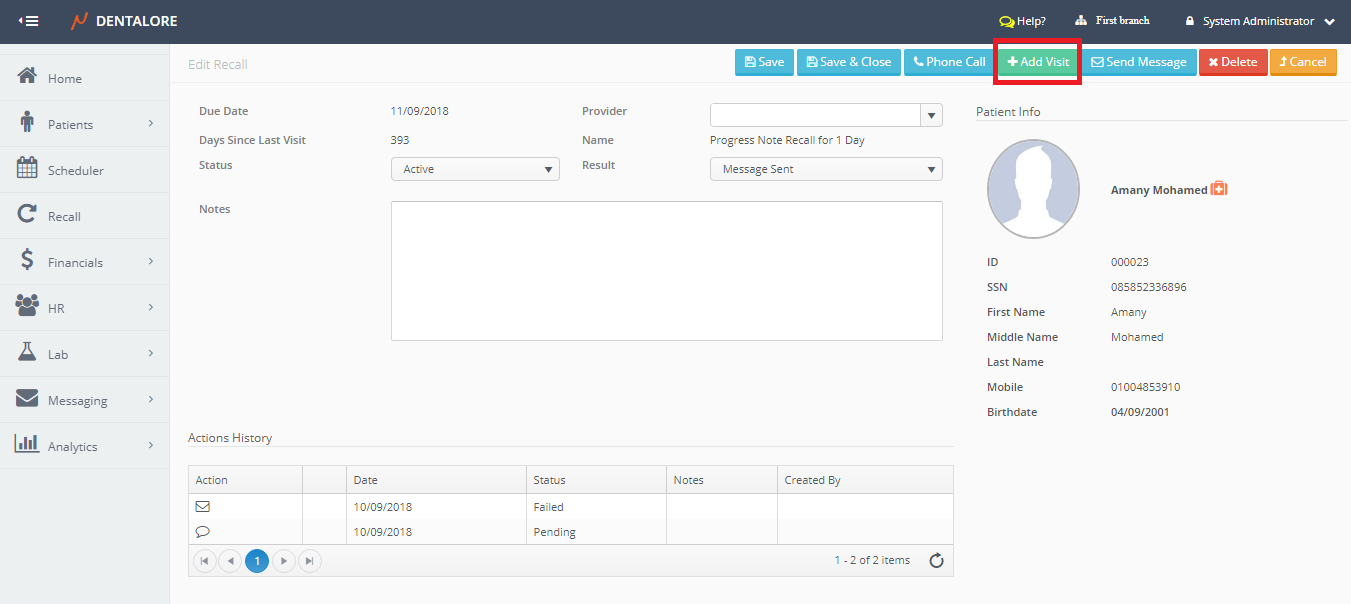
- New Page “Edit Recall” page opens.
- Press the ‘Add Visit’ button.
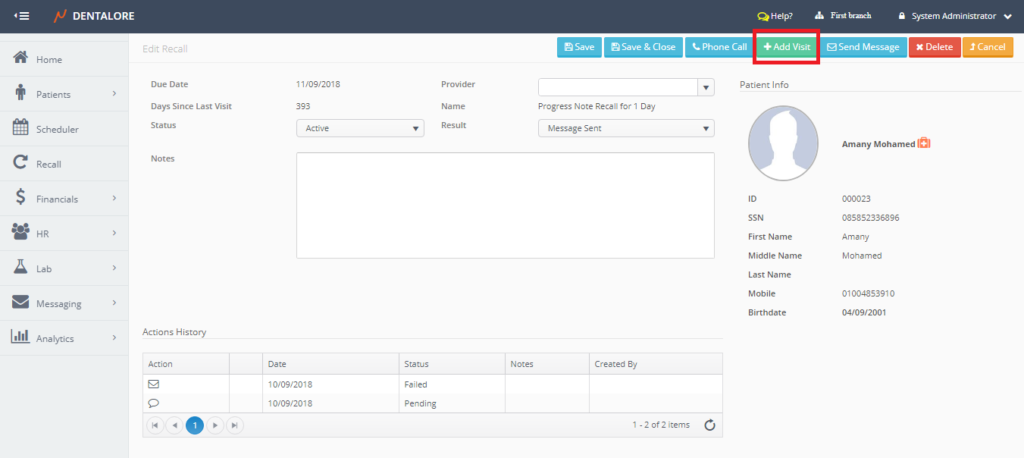
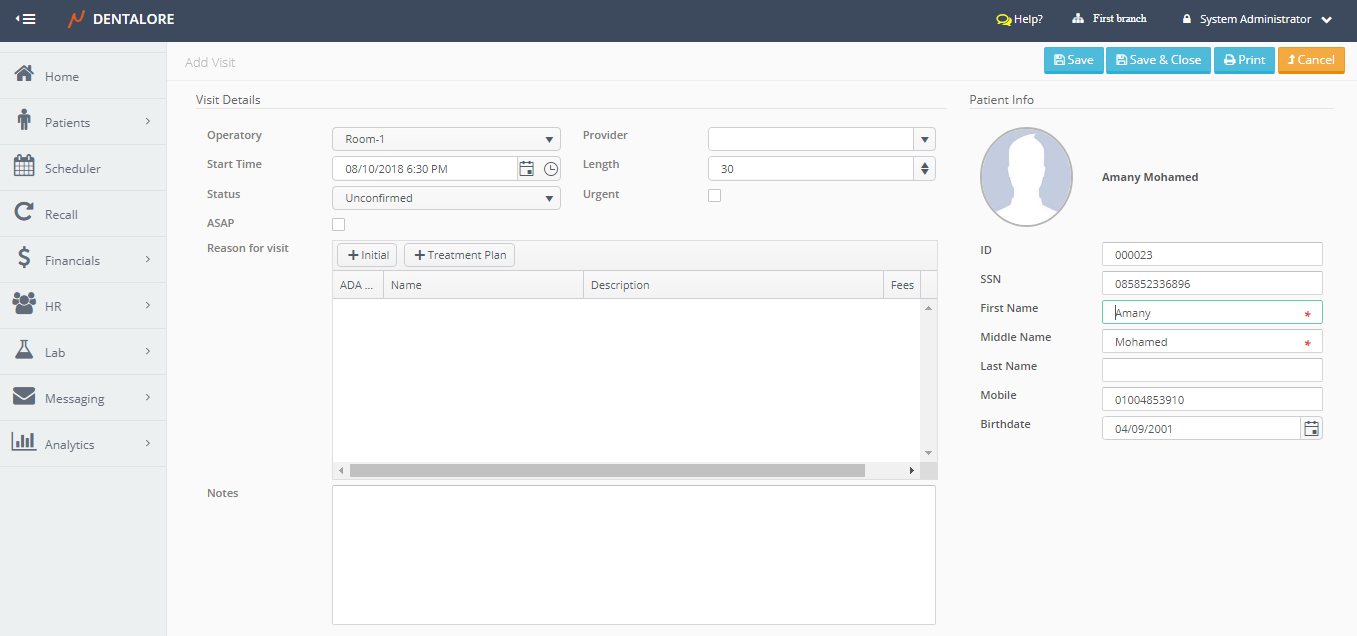
- User will be directed to new page “Add Visit”.
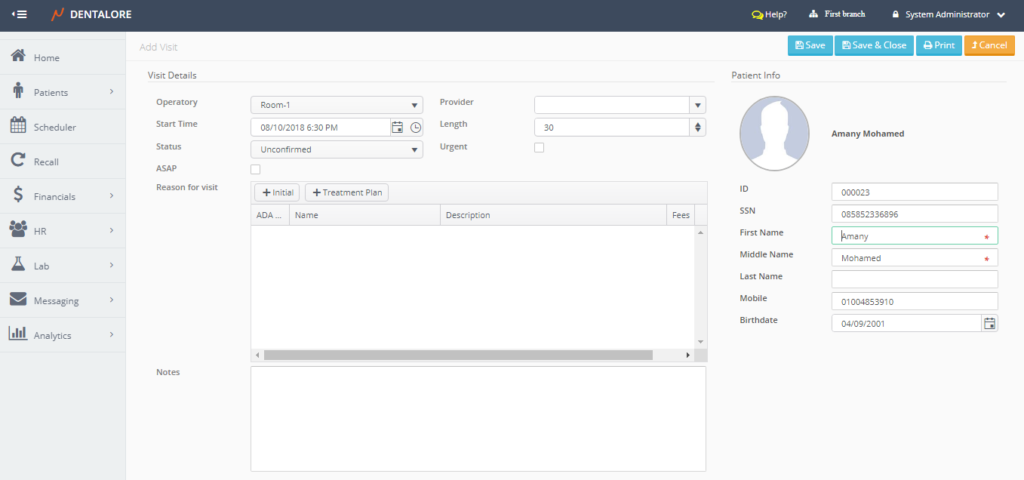
- Set the required fields of the patient’s visit and save it. And for more information about fields in “Add visit” page, Check: (Add Visit) Page.
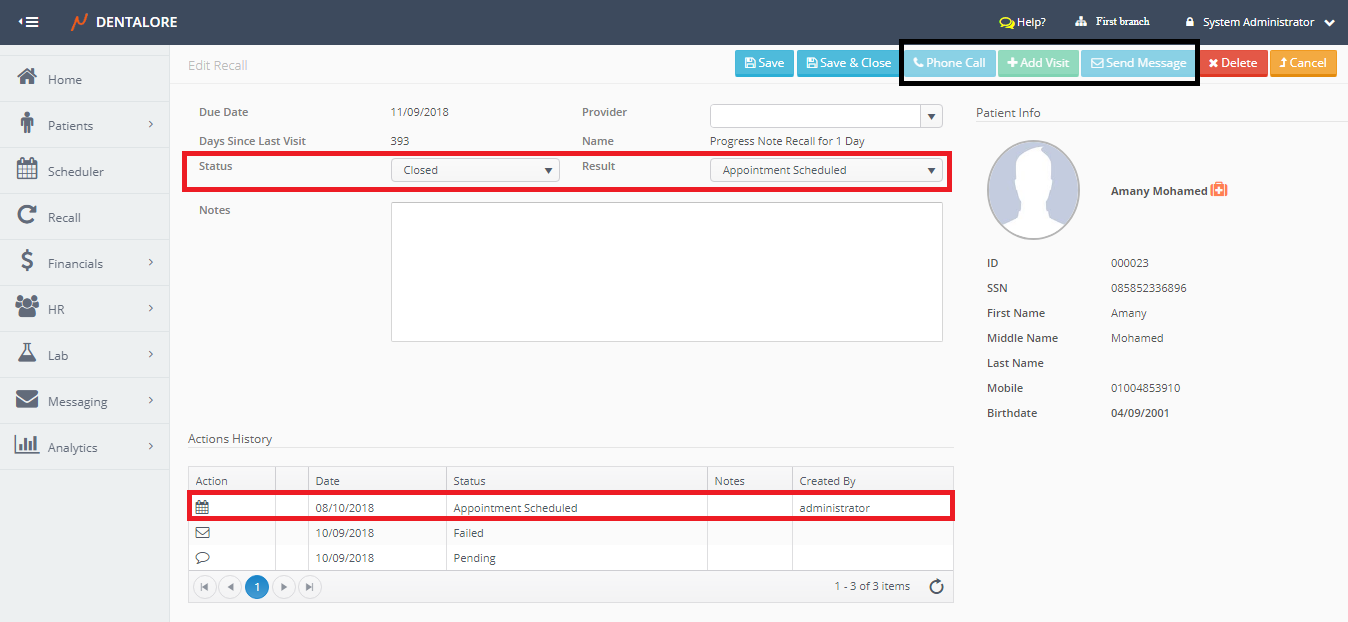
- Note that, if user press the (Save) button; the visit will be saved, Status of Recall changed to: (Closed) with Reason: (Appointment Scheduled) and user directed to the “Edit Visit” page.
If user press (Save & Close) button, the visit will be saved, Status of Recall changed to: (Closed) with Reason: (Appointment Scheduled) and user directed to the “Edit Recall” page.
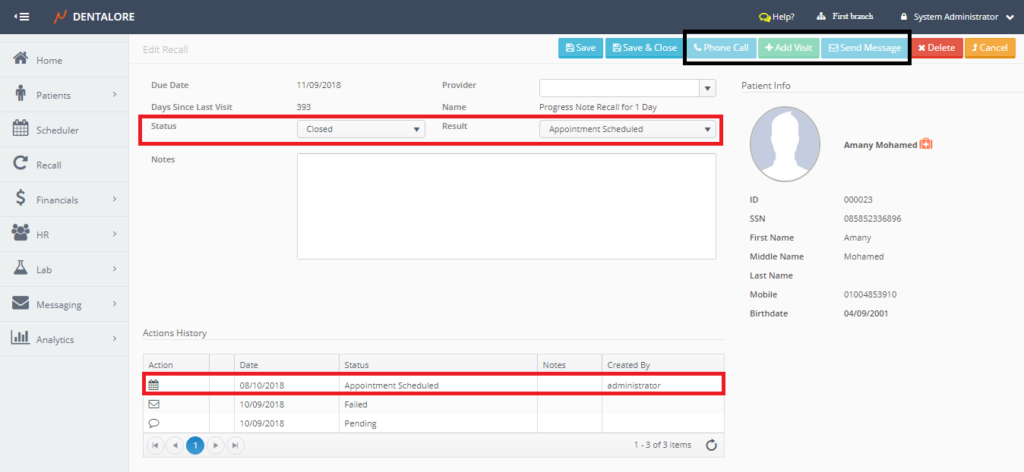
- After creating a visit (Appointment) for the patient, the recall get closed and user is not allowed to perform new actions (Phone Call, Send Message, or Add Visit) on it.