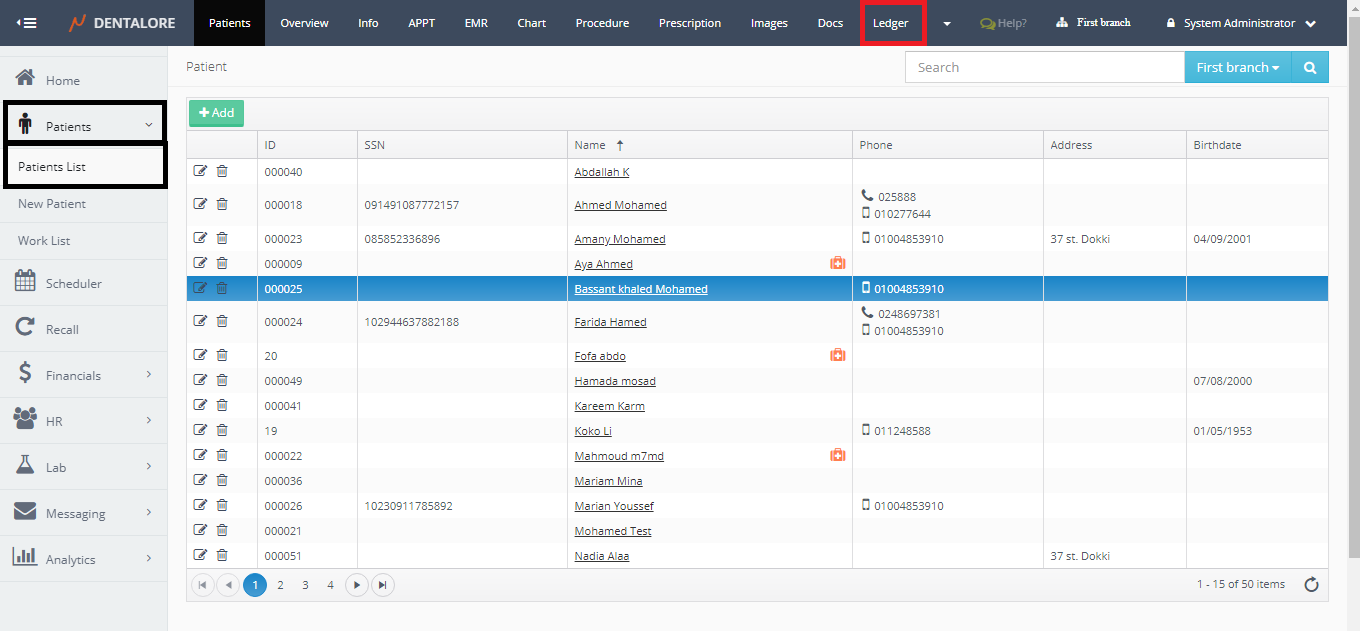
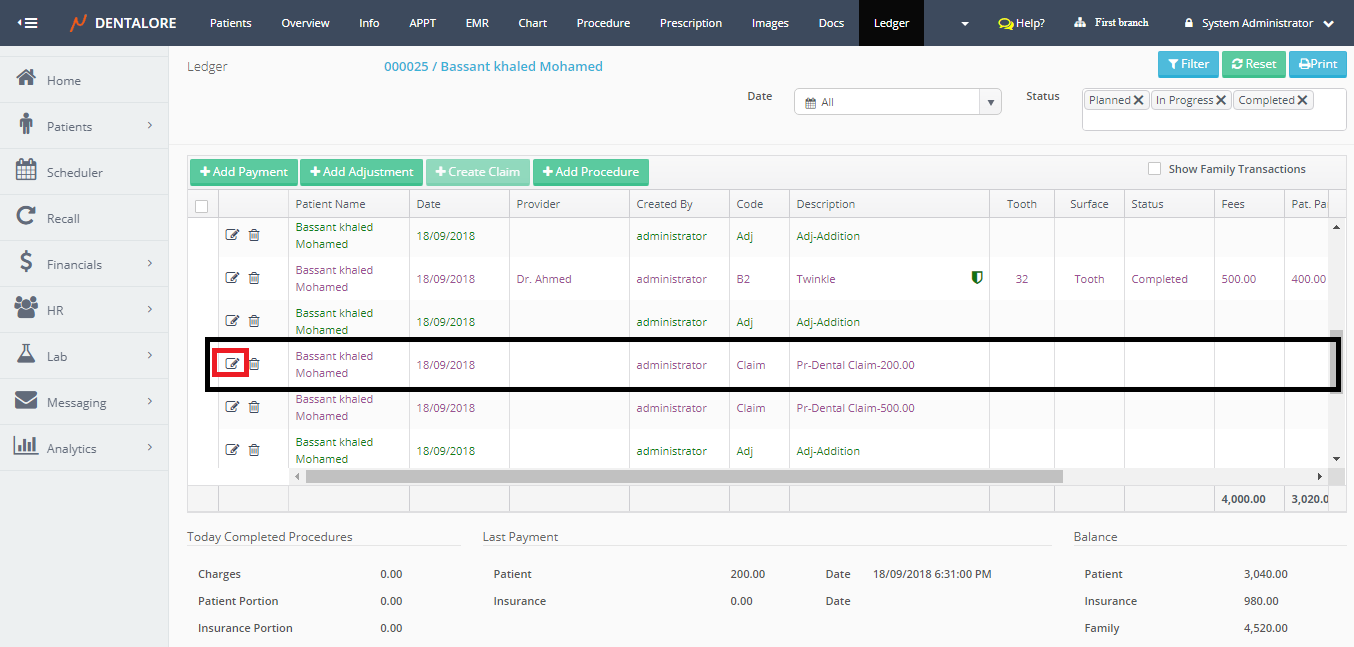
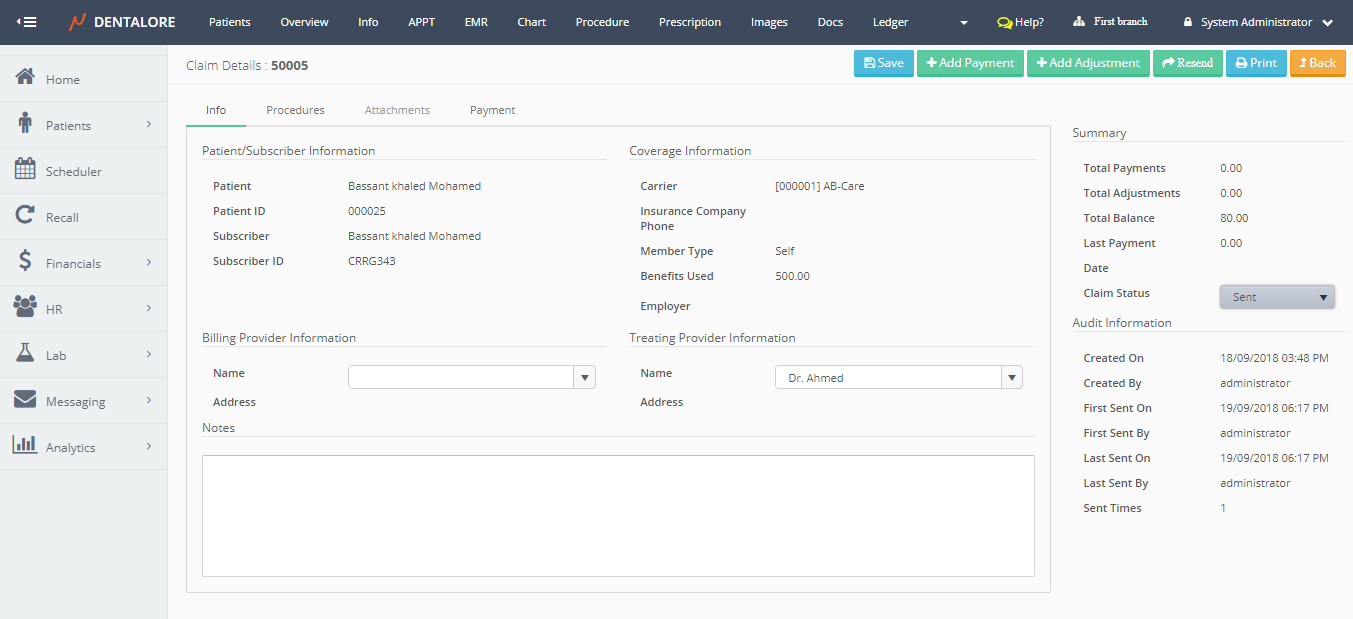
Claim Transaction could be accessed from 2 views in Dentalore system which are:
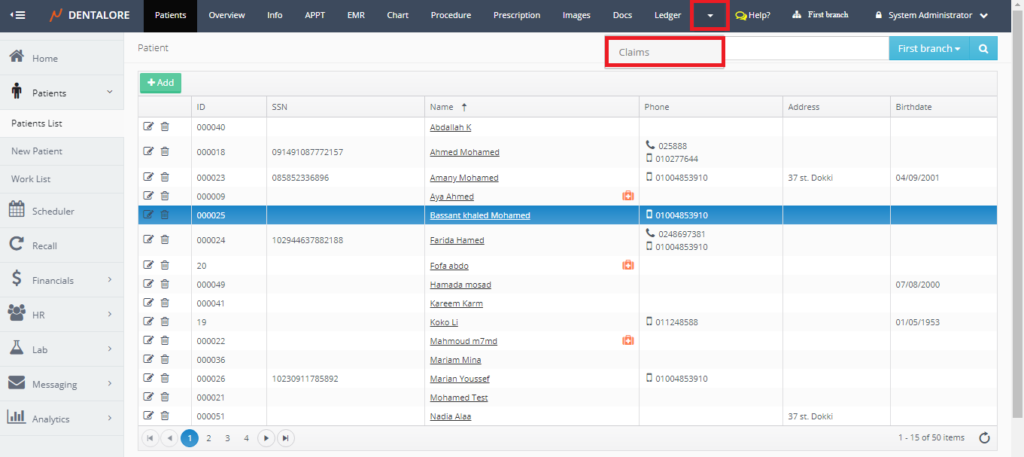
1- Main Place is from the "Claims" View
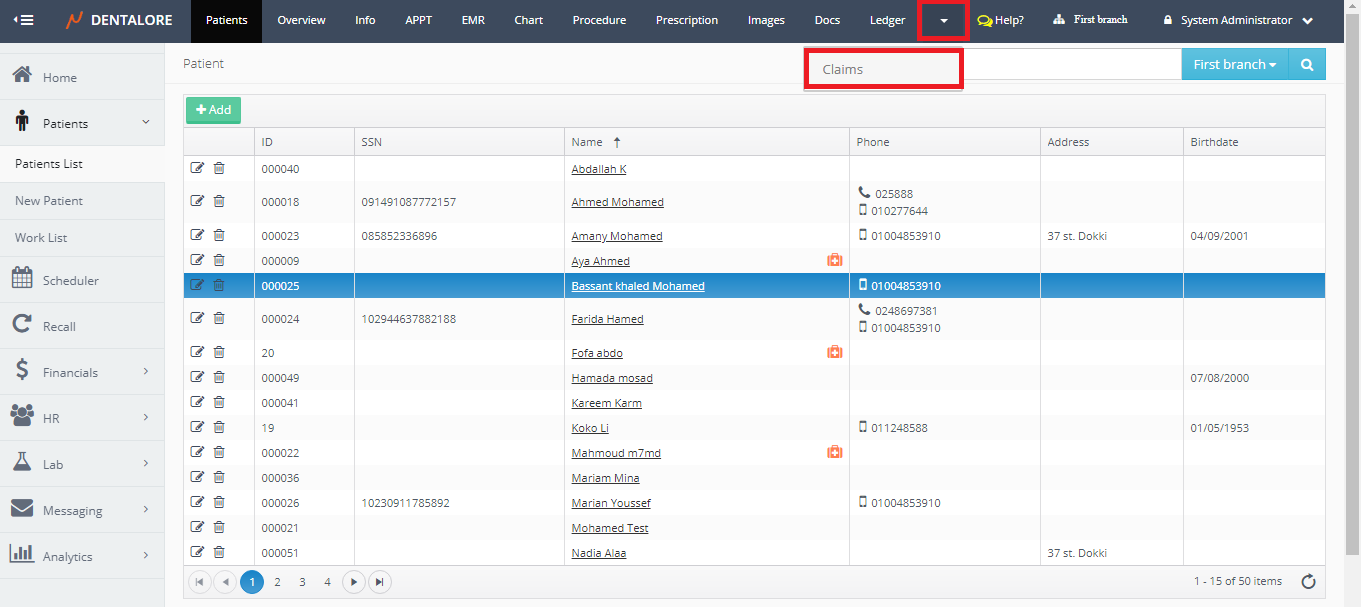
- Expand "Patients" menu and Select "Patient List".
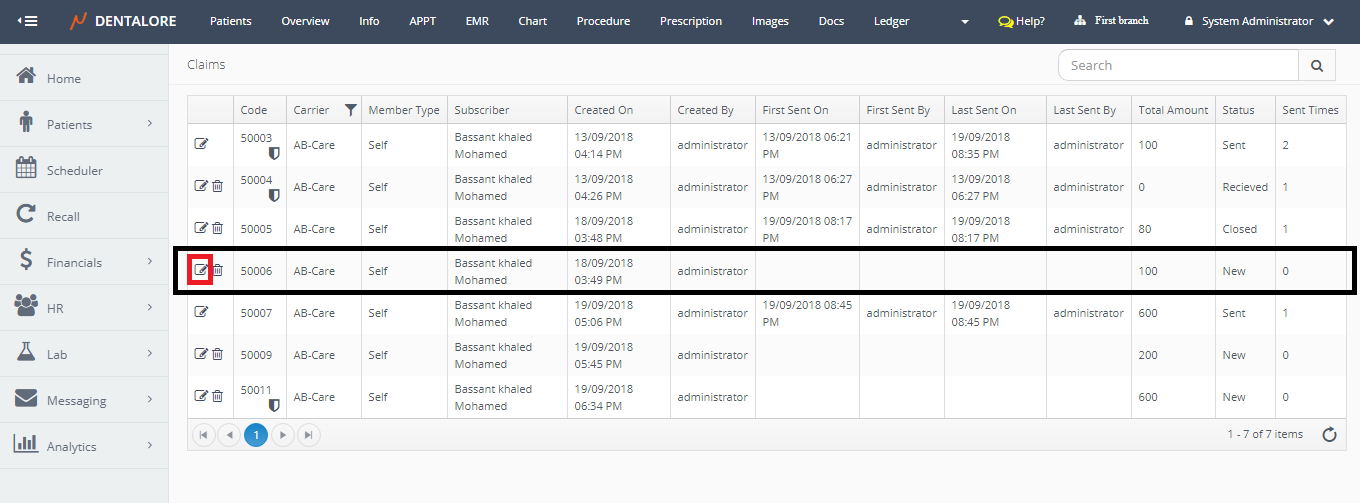
- Select any of the existing patients (Who has Insurance to find claims) and then Select "Claims".
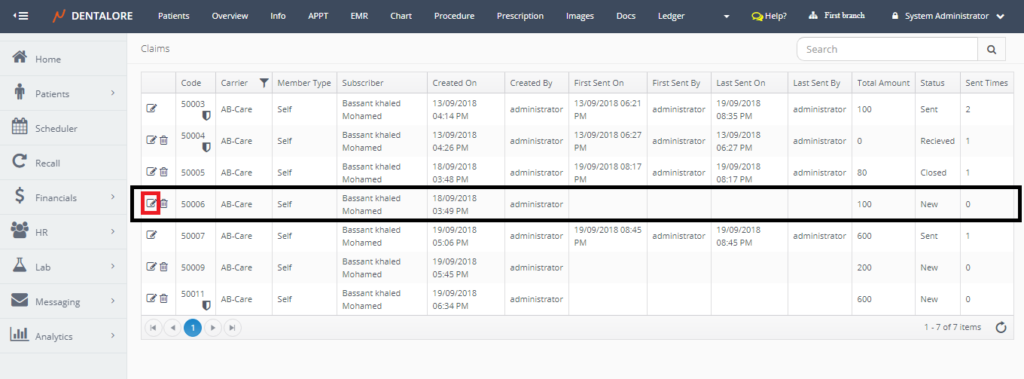
- Press the "View" icon for the required Claim transaction.
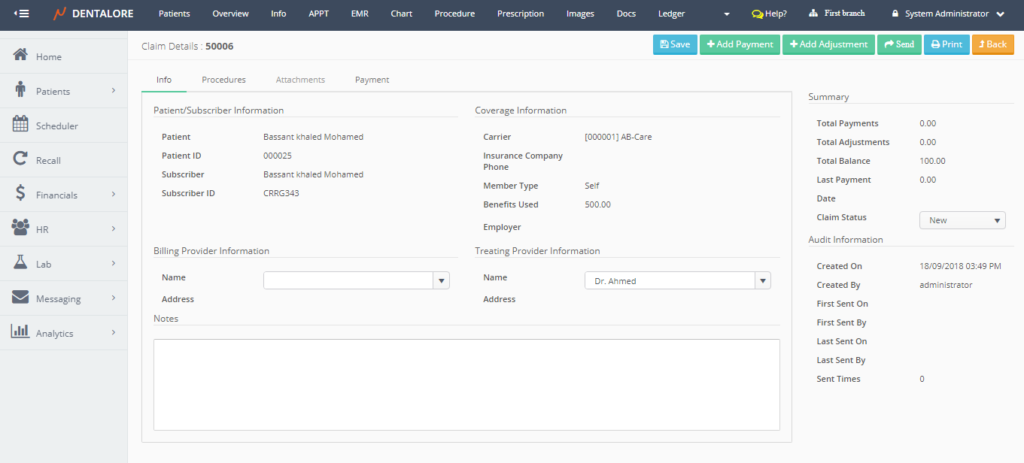
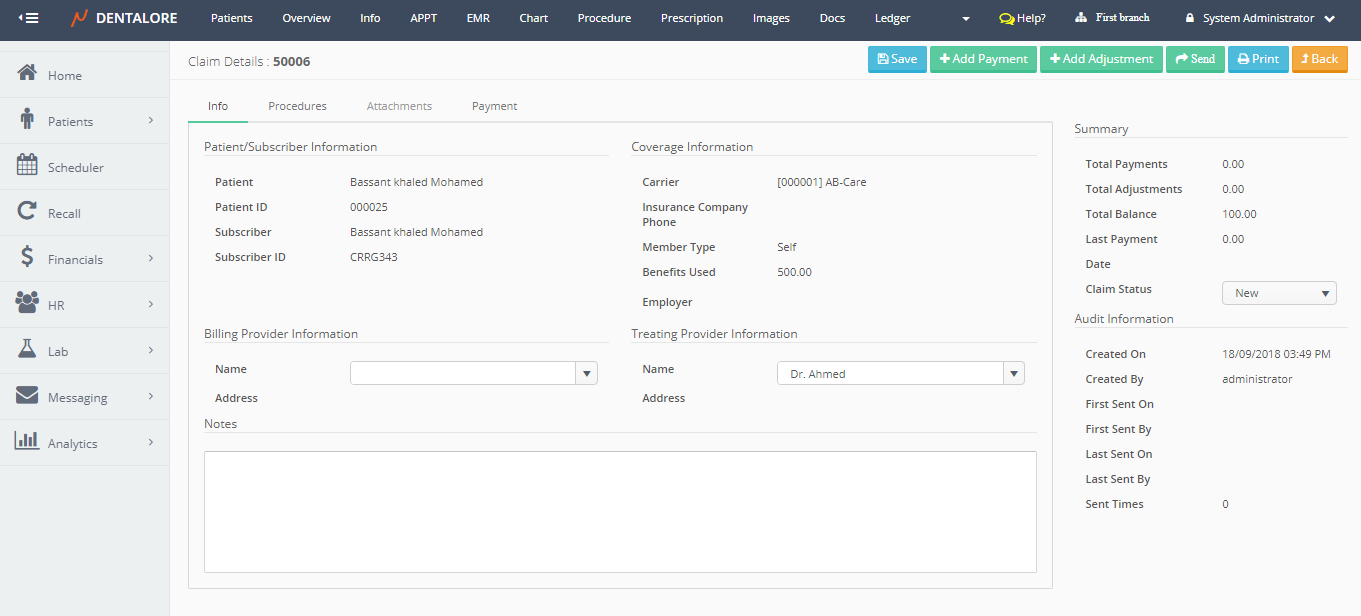
- New Page "Claim Details" opens.
2- For Clinics work with Open Ledger type; Claims Could be accessed from Open Ledger View
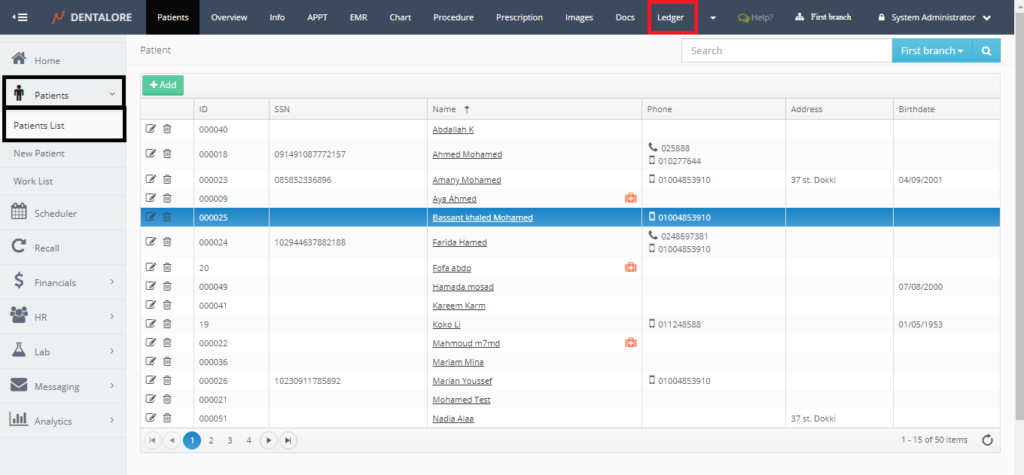
- Expand "Patients" menu and Select "Patient List".
- Select any of the existing patients (Who has Insurance to find claims) and then Select "Ledger".
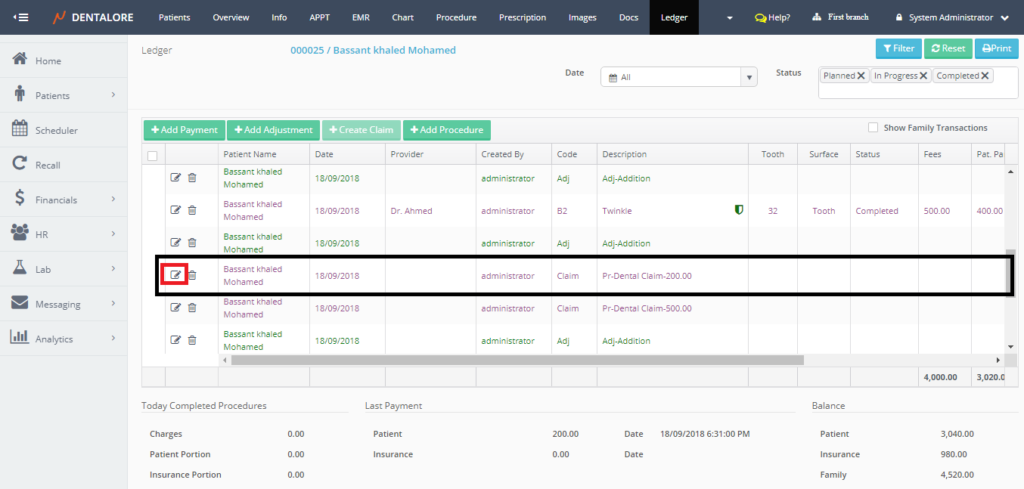
- Select the required Claim transaction from the Open Ledger view and Press "View" icon.
- New Page "Claim Details" opens.
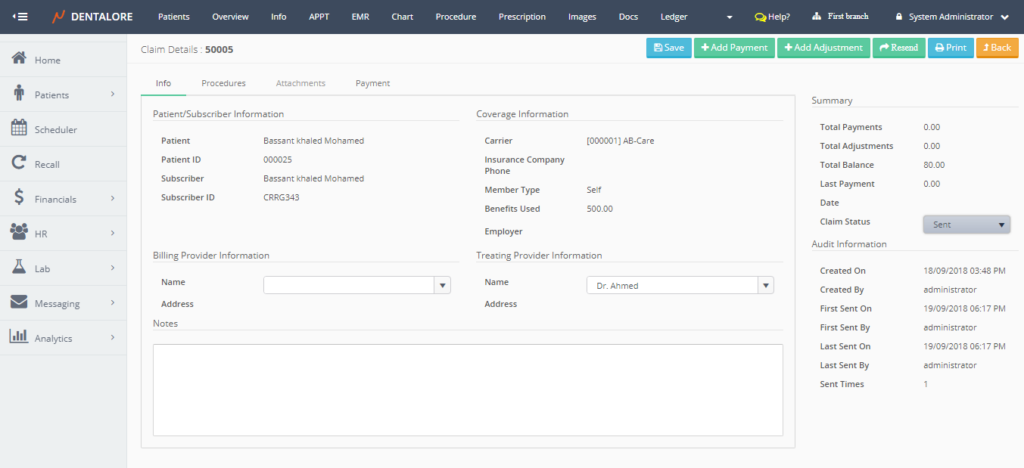
- For more information about the information displayed for each claim, Check: Claim Details.