
Claims are the papers that the clinic creates for the insurance company in order to deal with them for the payments related to their patients.
Claims are created from "Ledger" view either the (Procedure) or the (Open) views, only for patients who have insurance.
1- Create Claim from Procedure Ledger View
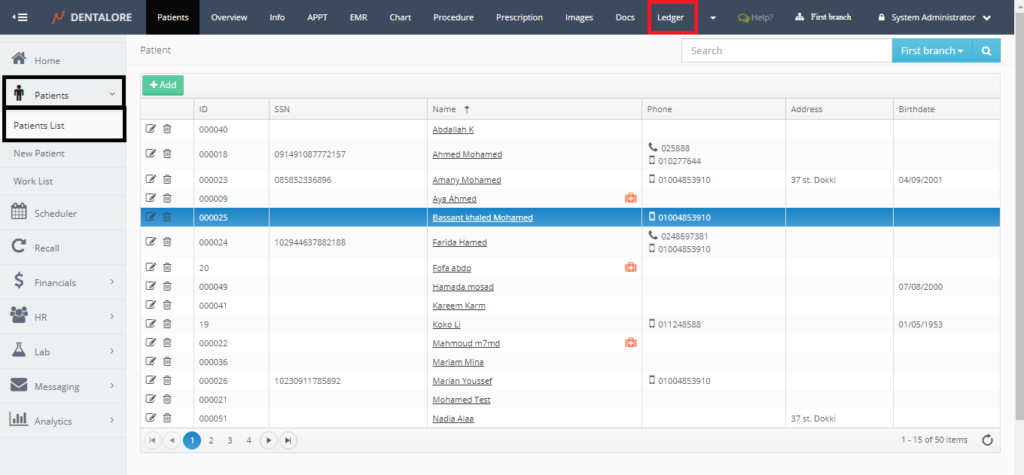
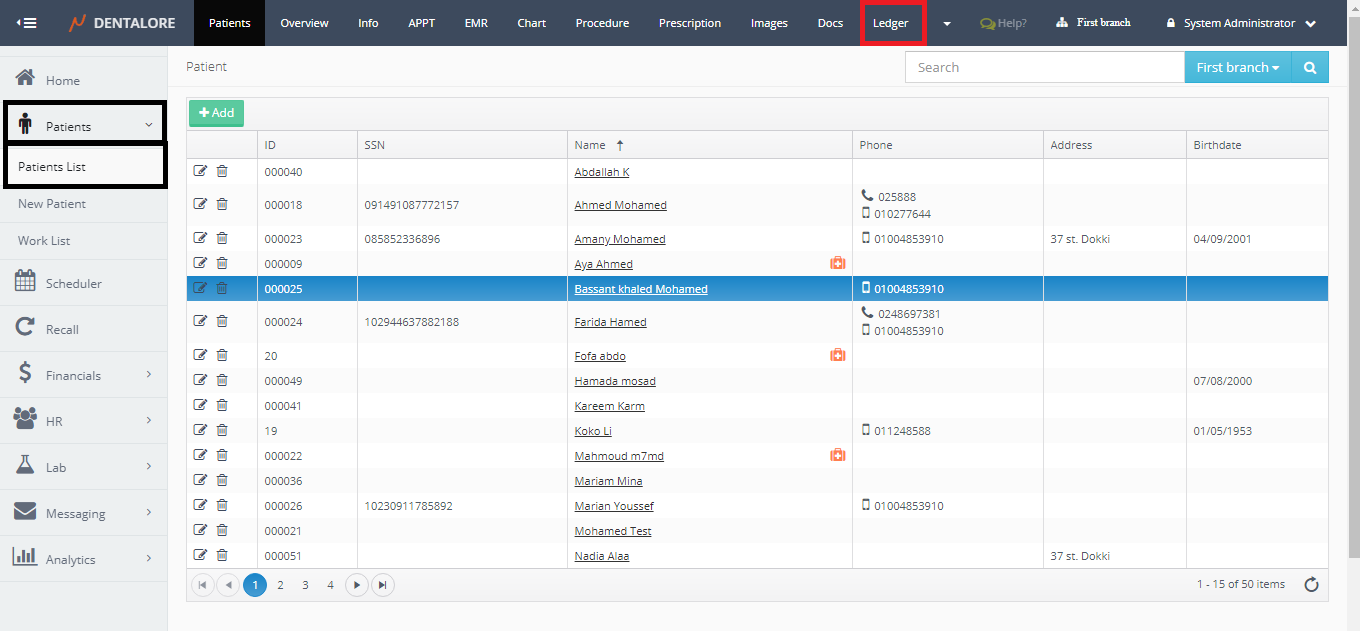
- Expand "Patients" menu and Select "Patient List".
- Select any of the existing patients (Who has Insurance) and then Select "Ledger".
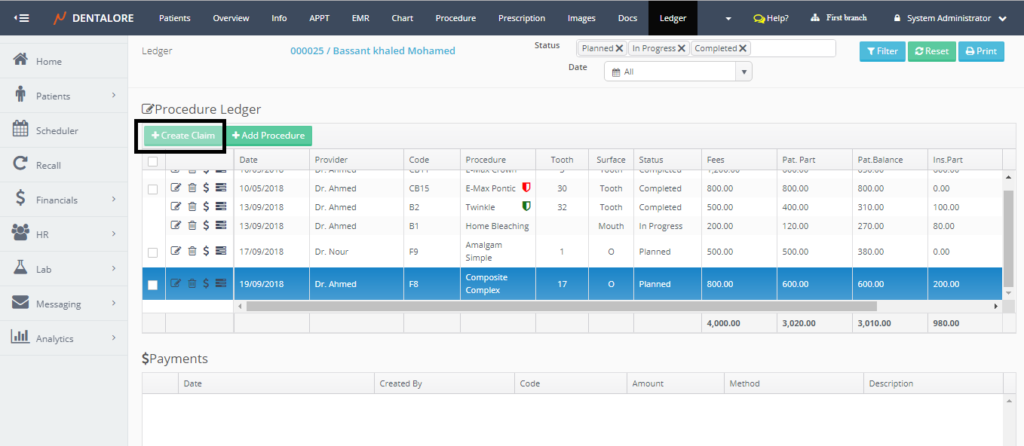
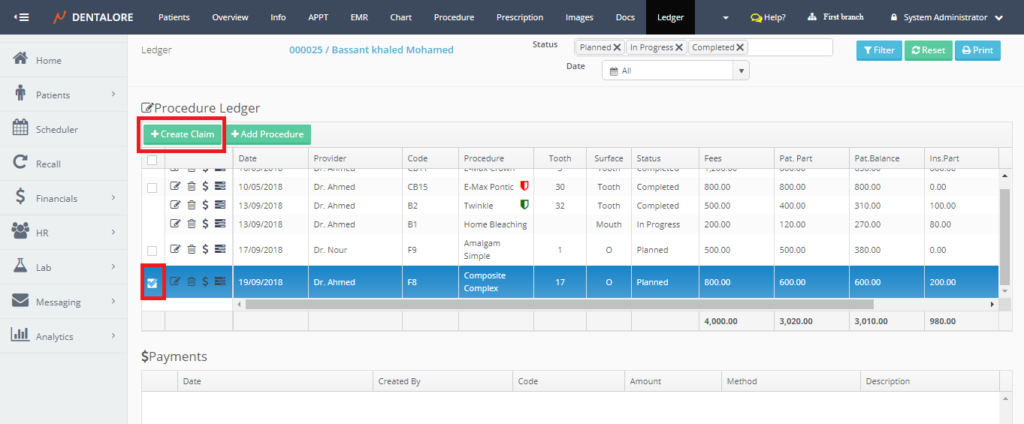
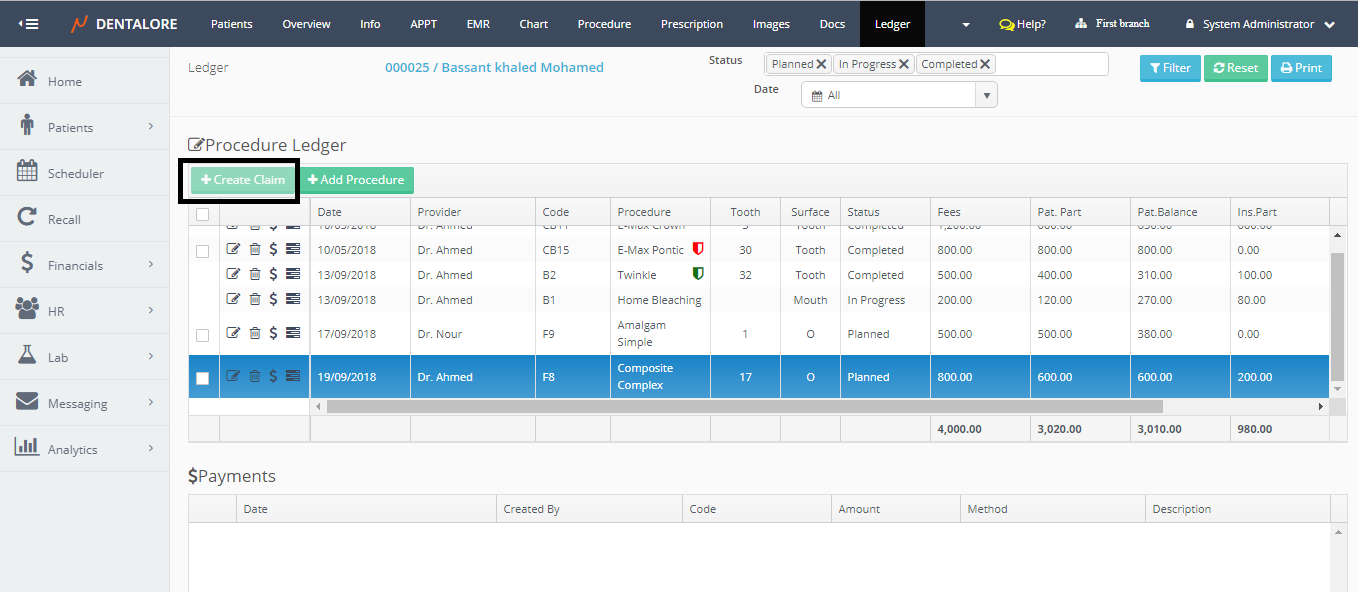
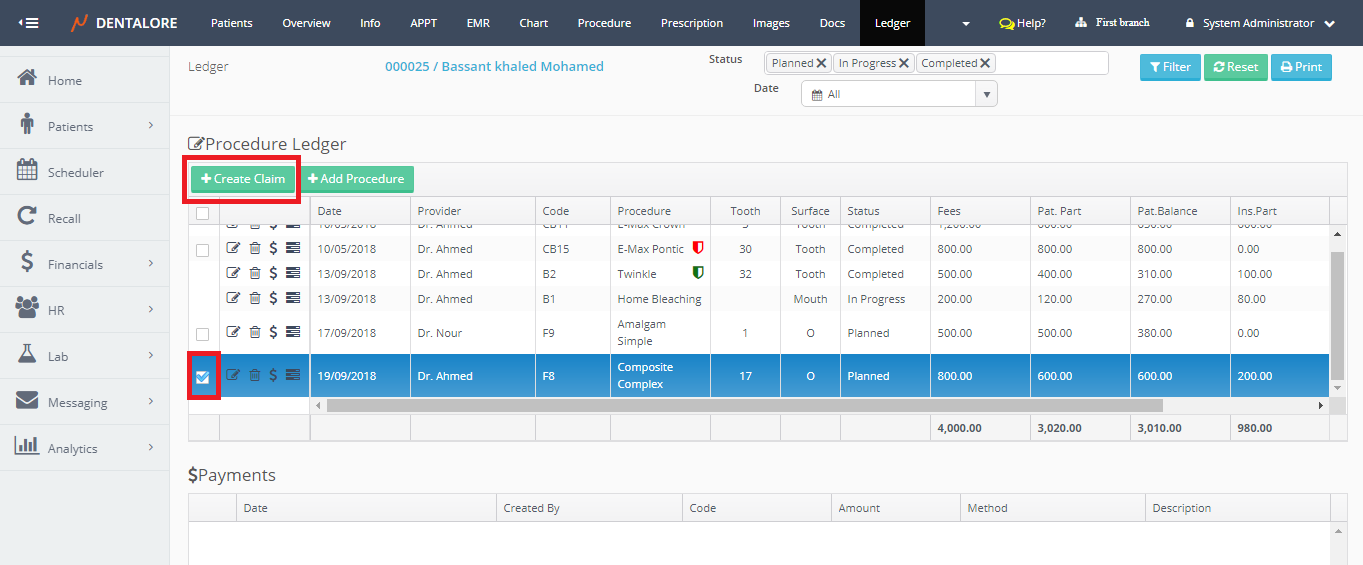
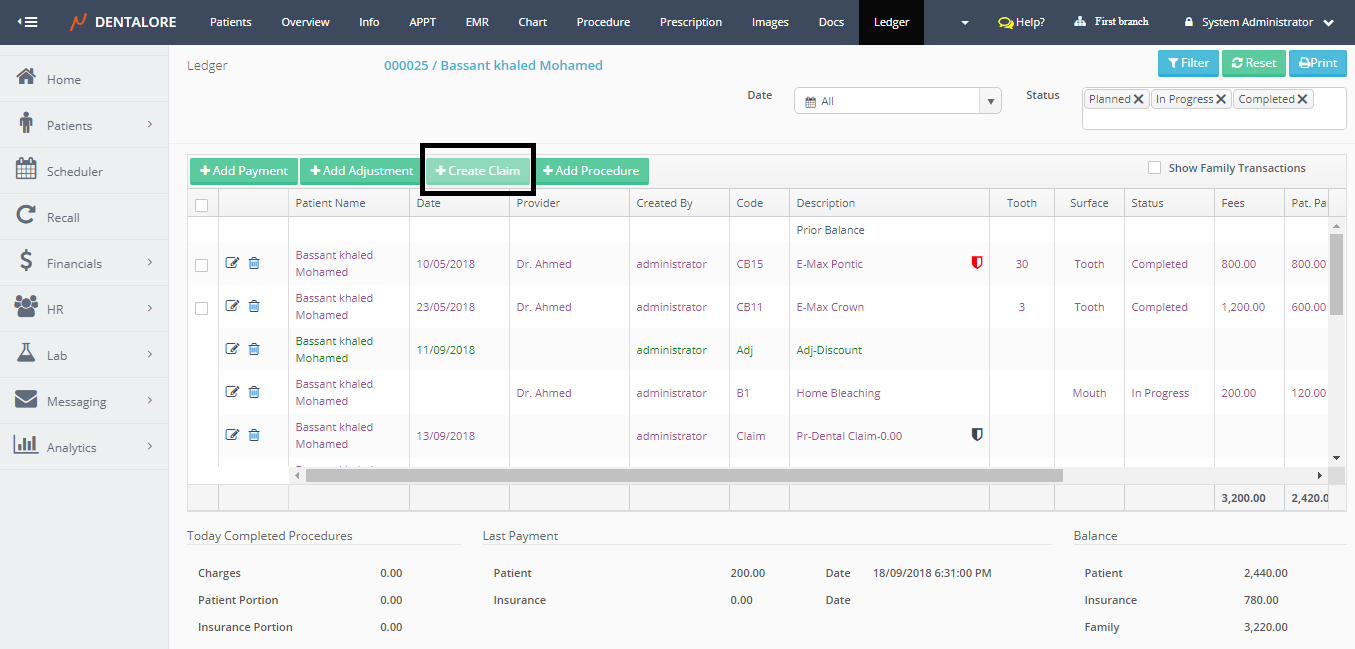
>> Note that the "Create Claim" button is disabled. - Tick the check box beside the required procedure to create a claim for it. Once a check box is ticked then the "Create Claim" button becomes enabled.
- Press "Create Claim" button.
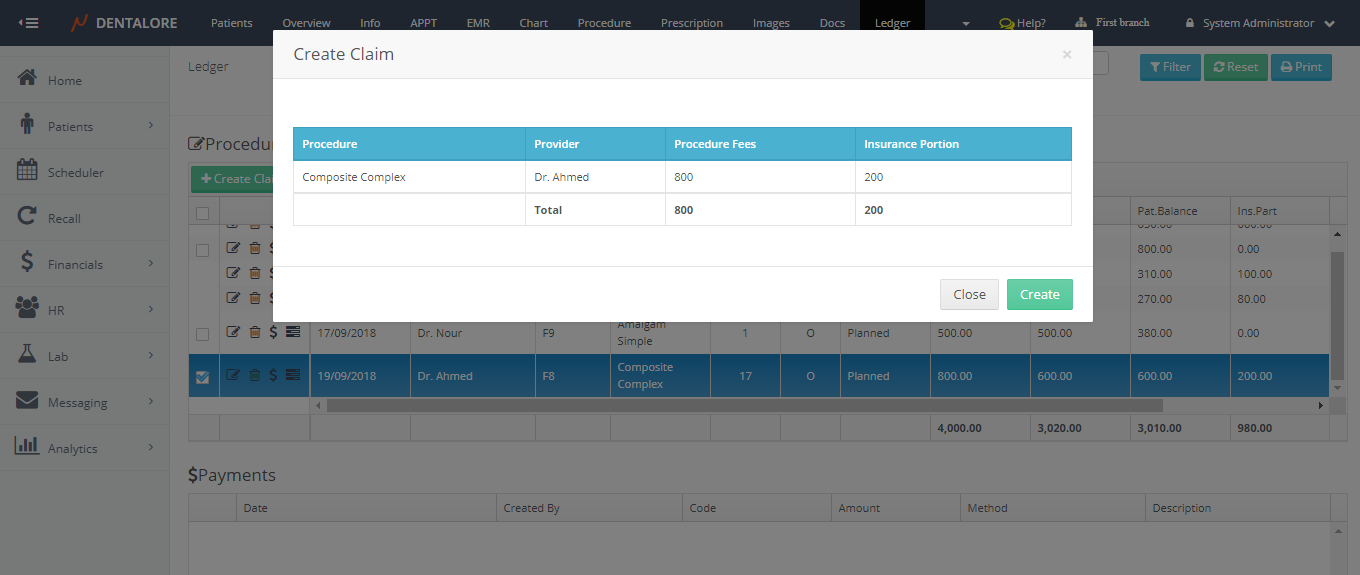
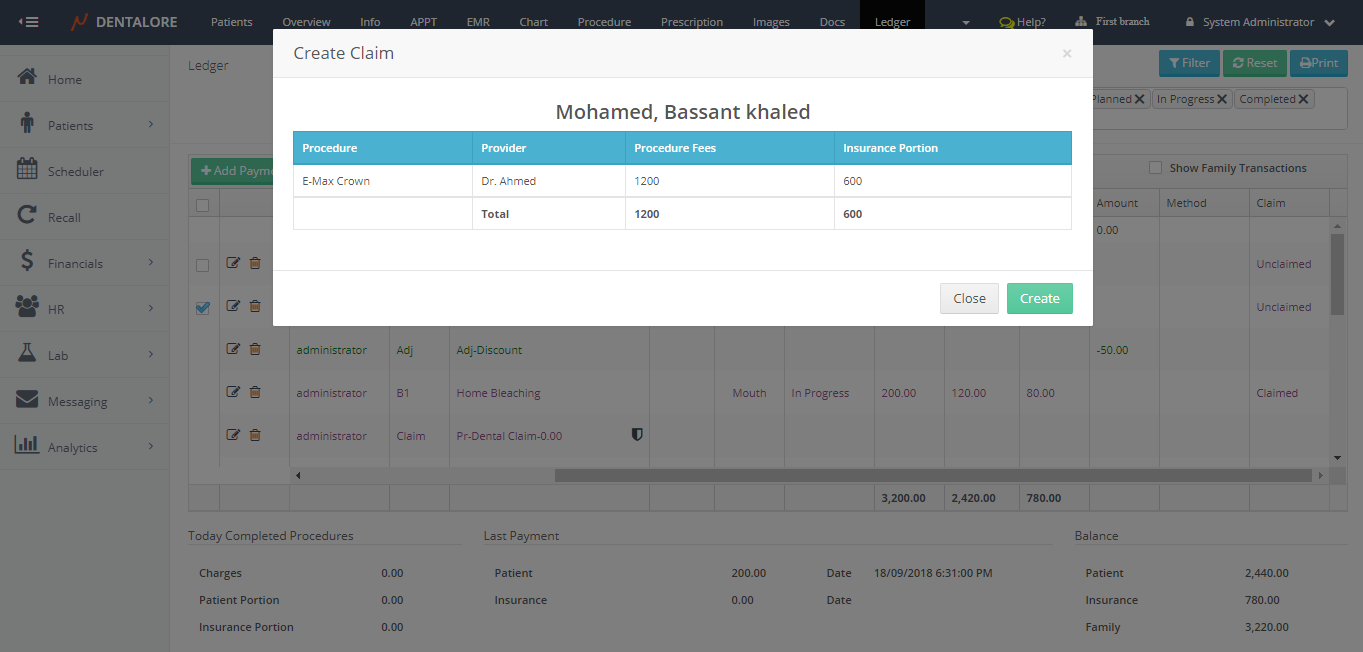
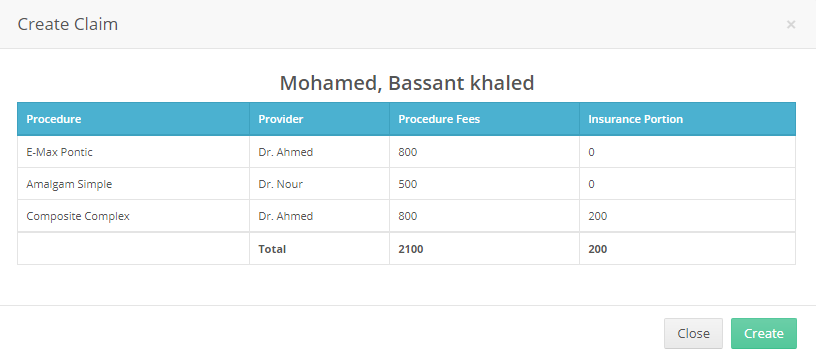
- Popup "Create Claim" opens that displays the the name of selected procedure/s, Name of provider who performed the procedure, total fees of procedure/s and the insurance portion for each procedure.
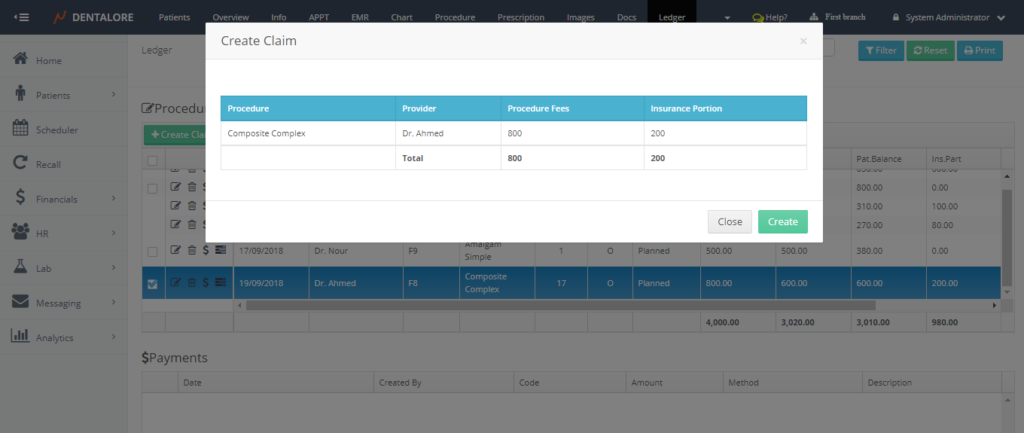
- From the "Create Claim" Popup, user could Press "Close" then the Popup closes and no claim created. If user Press "Create" then Popup closes, claim created and listed in the "Claims" main page in Claims view.
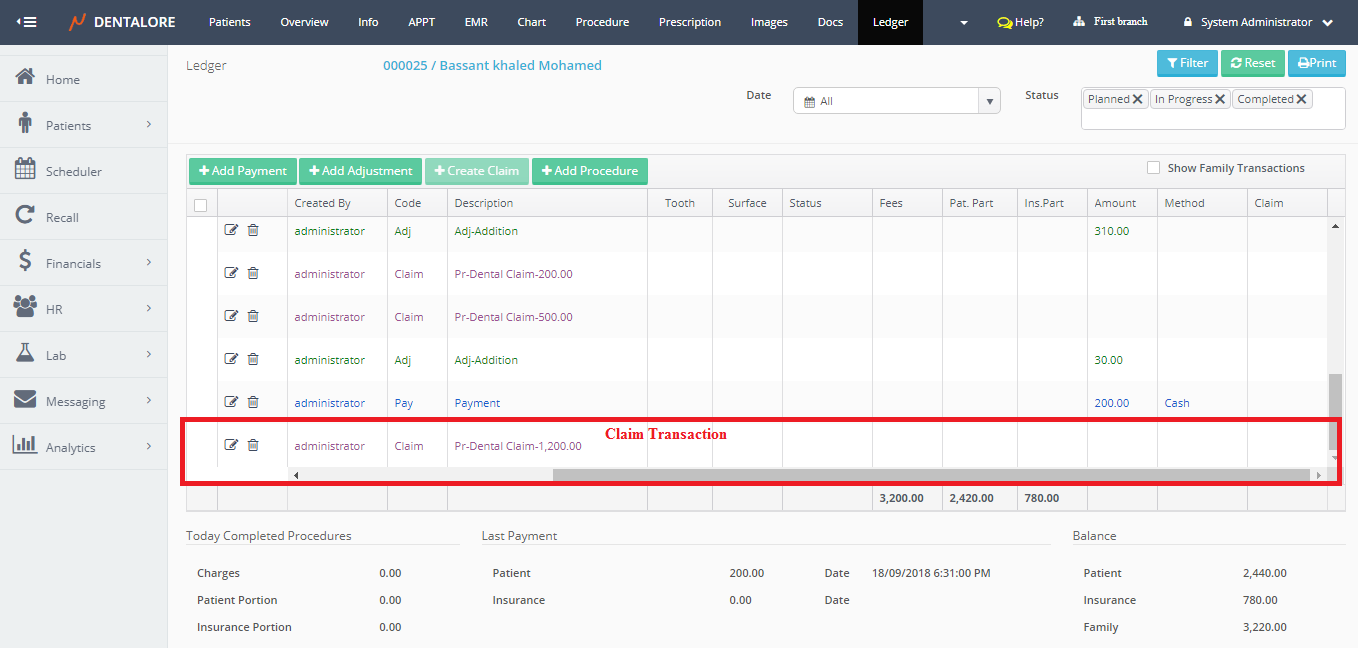
-- Claim Transaction from Claims View
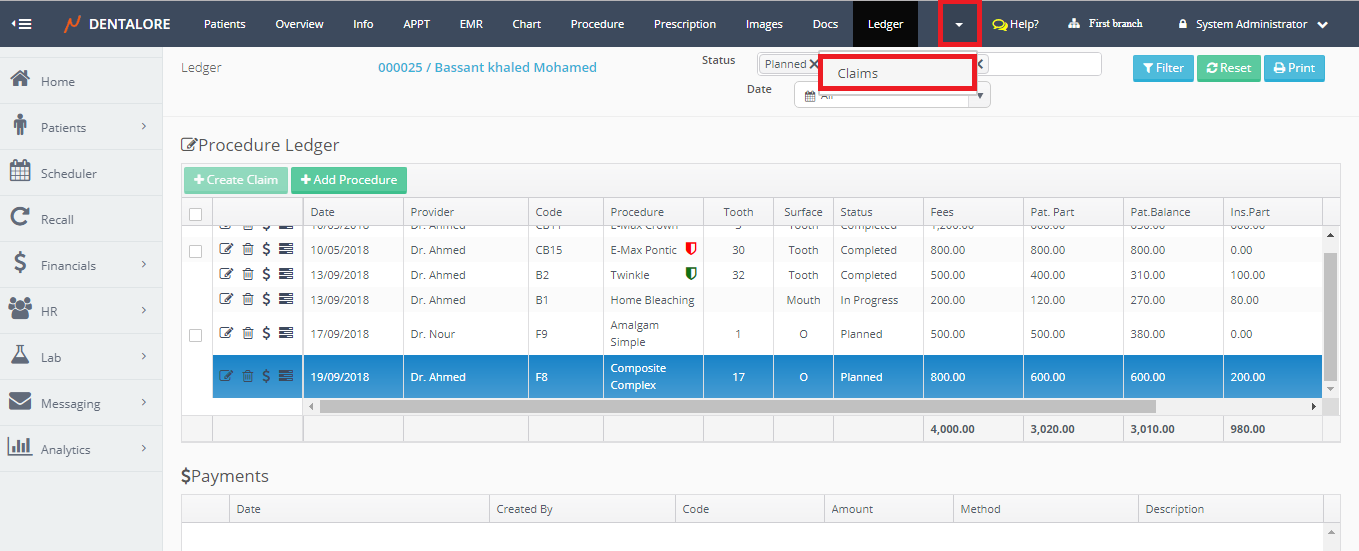
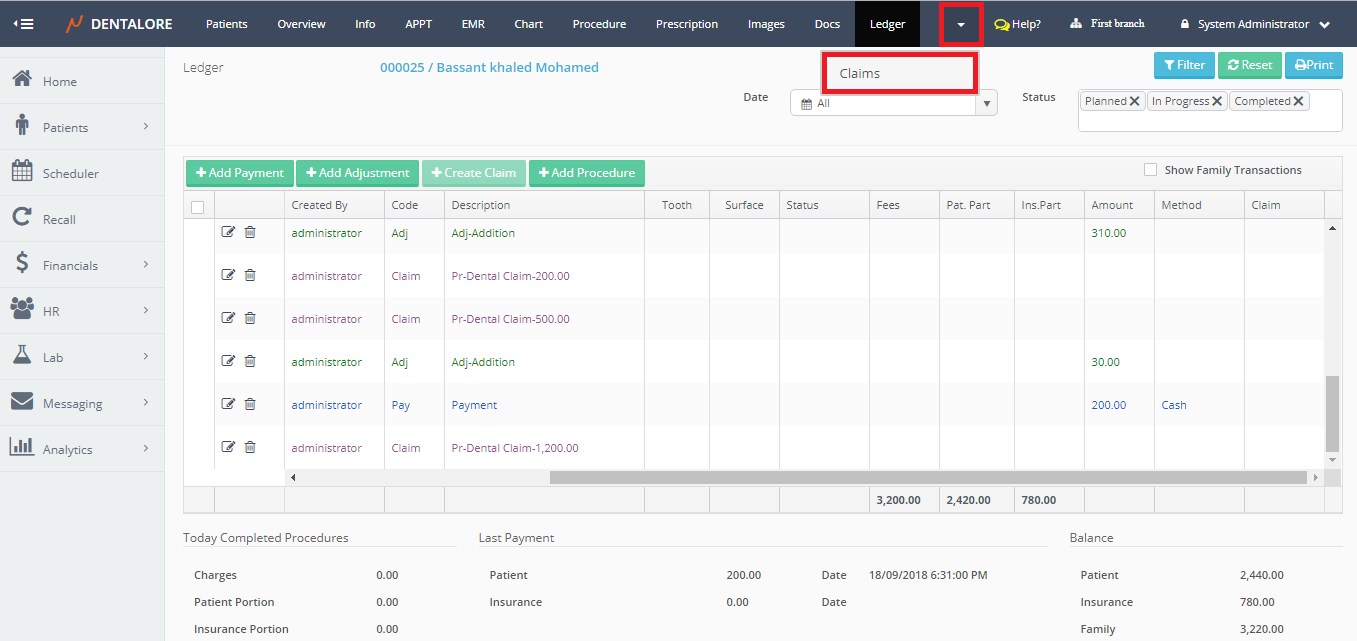
-> Select Claims View
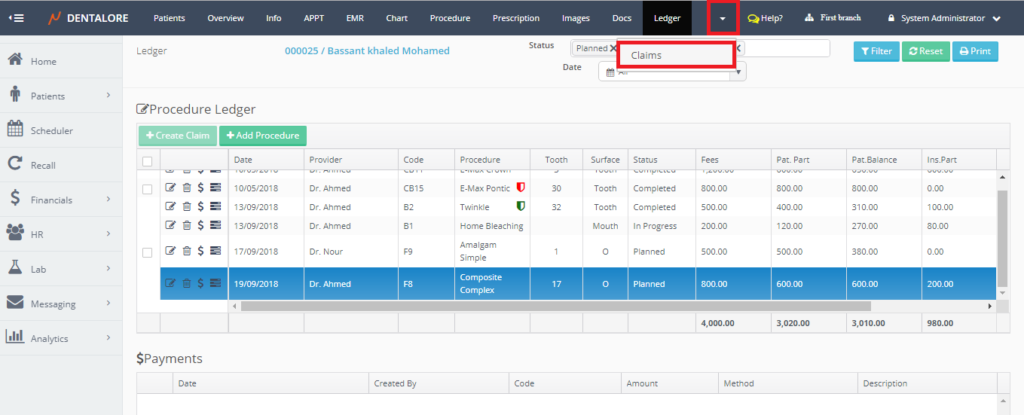
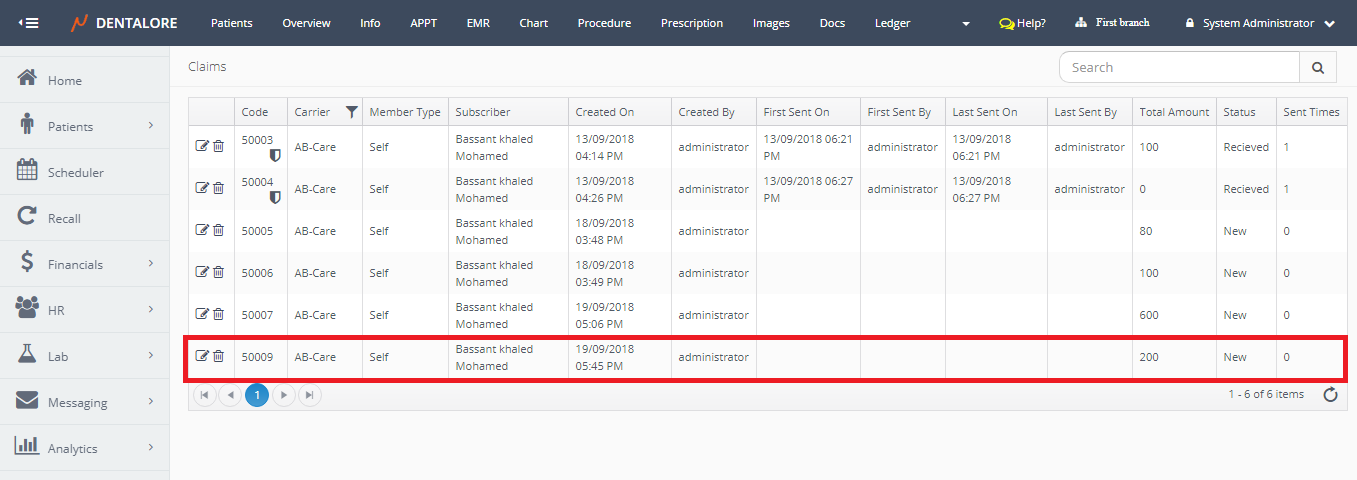
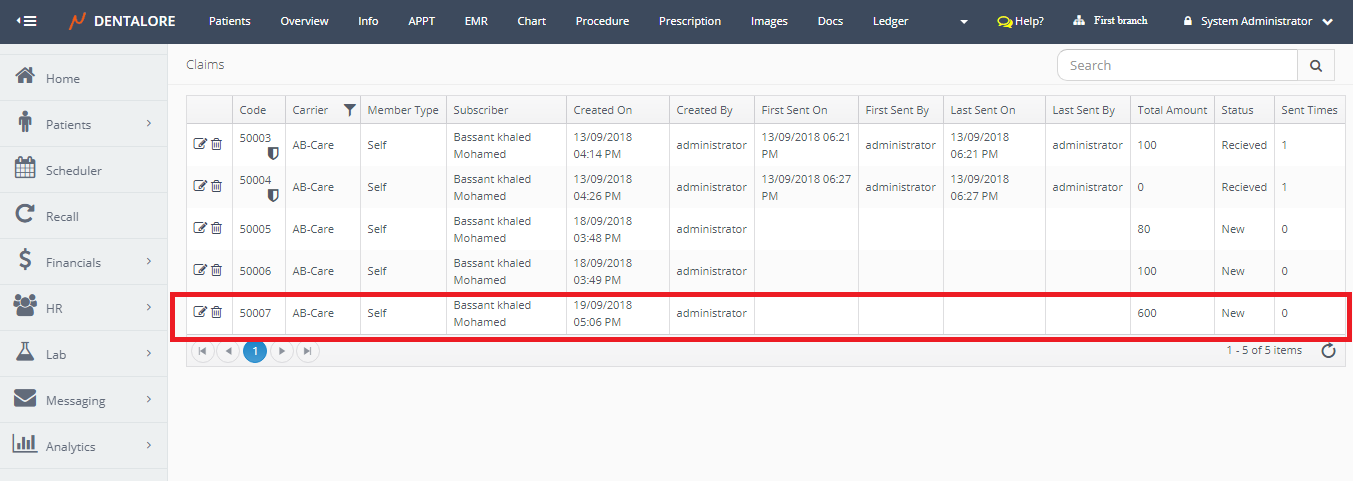
-> Claims grid view contains the new created Claim Transaction.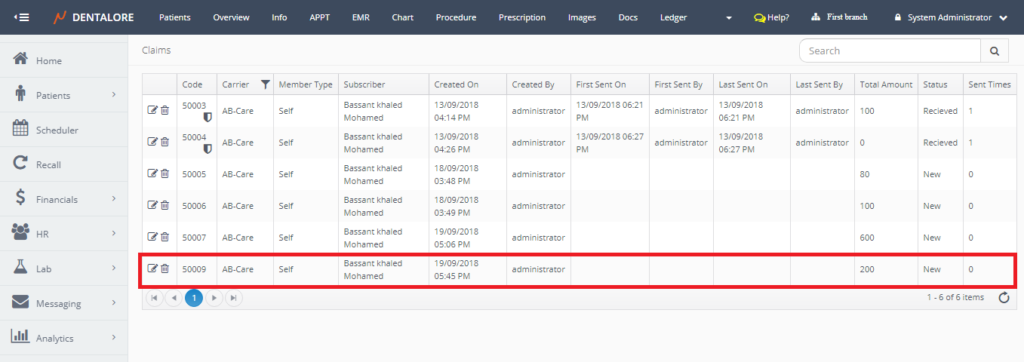
2- Create Claim from Open Ledger View
- Expand "Patients" menu and Select "Patient List".
- Select any of the existing patients (Who has Insurance) and then Select "Ledger".
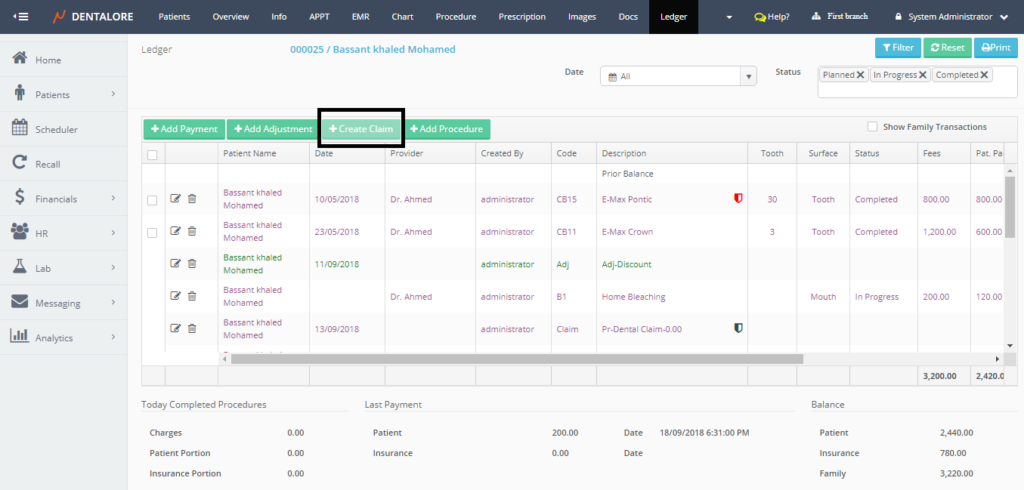
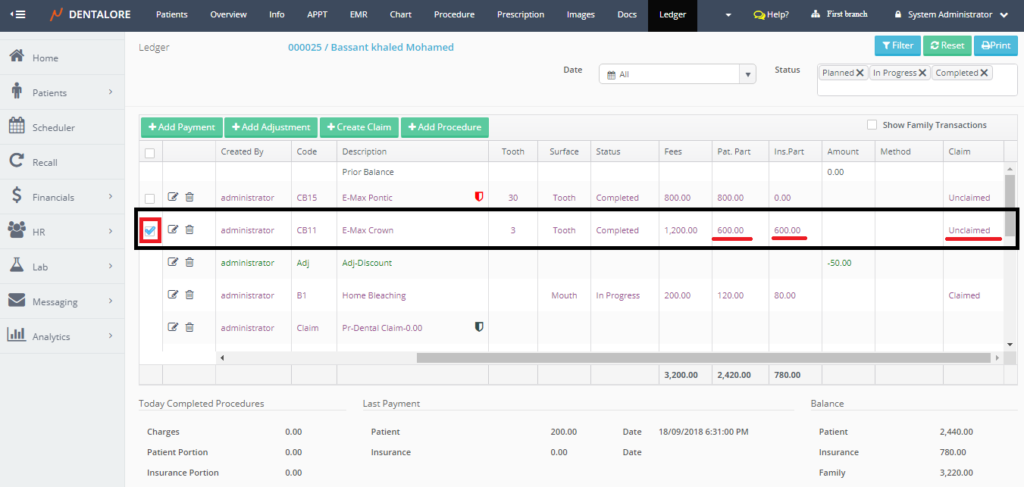
>> Note that the "Create Claim" button is disabled. - Tick the check box beside the required procedure to create a claim for it. Once a check box is ticked then the "Create Claim" button becomes enabled.
- Press "Create Claim" button.
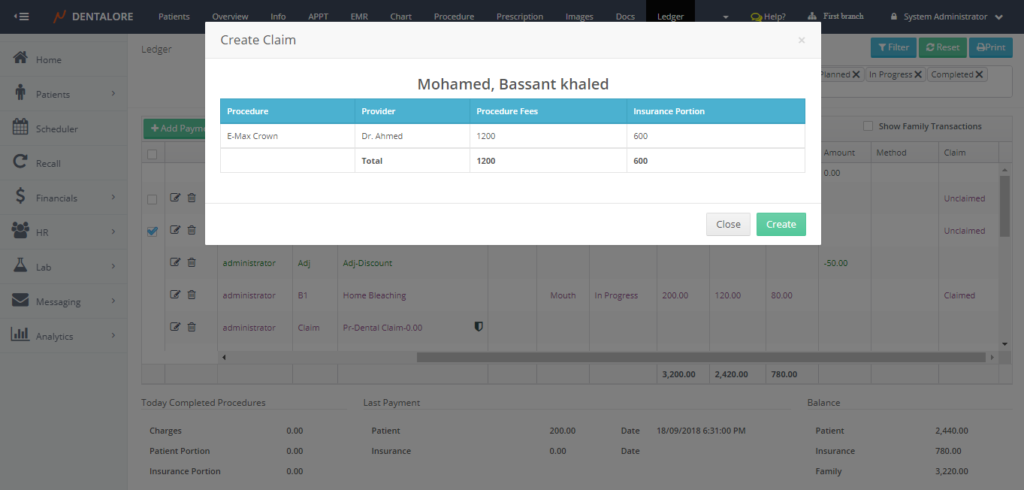
- Popup "Create Claim" opens that displays the the name of selected procedure/s, Name of provider who performed the procedure, total fees of procedure/s and the insurance portion for each procedure.
- From the "Create Claim" Popup, user could Press "Close" then the Popup closes and no claim created. If user Press "Create" then Popup closes, claim created, listed in the grid view of Open ledger view and listed in the "Claims" main page in Claims view.
-- Claim Transaction from Open Ledger View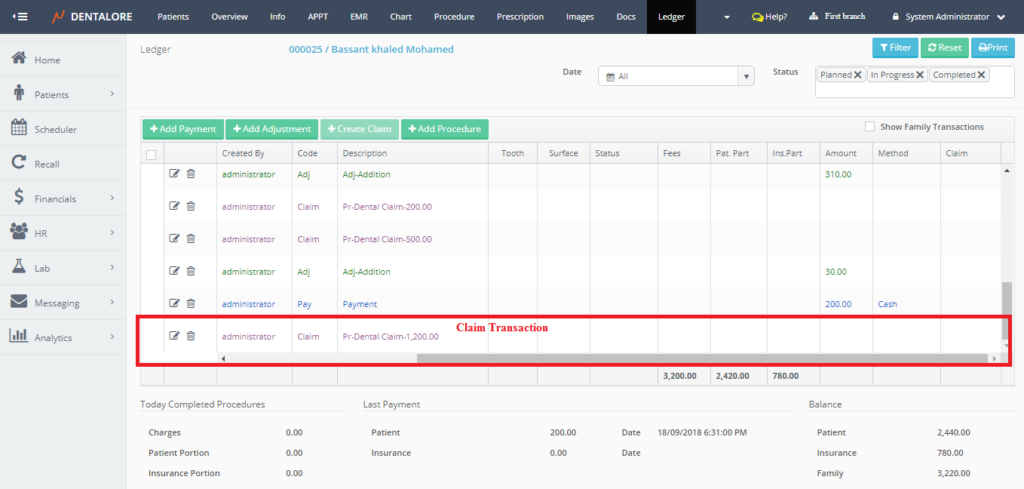
-- Claim Transaction from Claims View
-> Select Claims View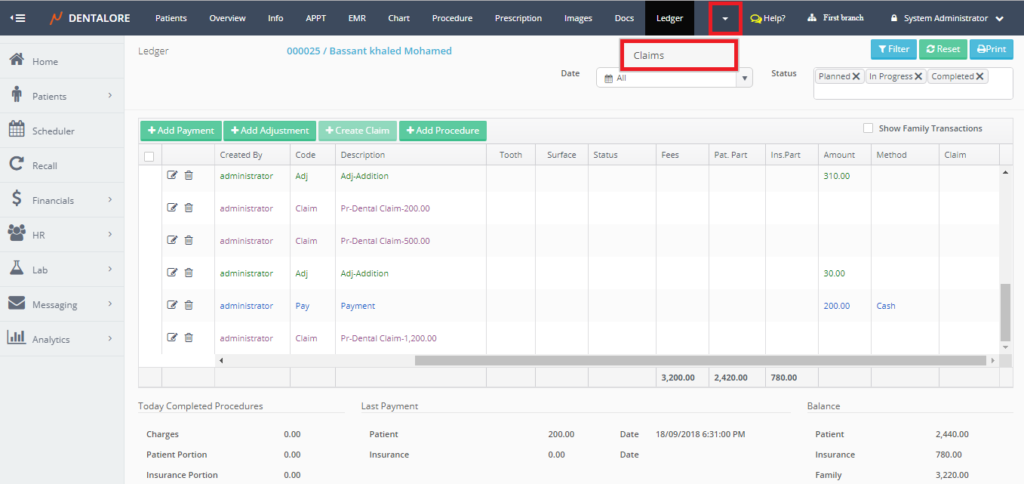
-> "Claims" main page opens.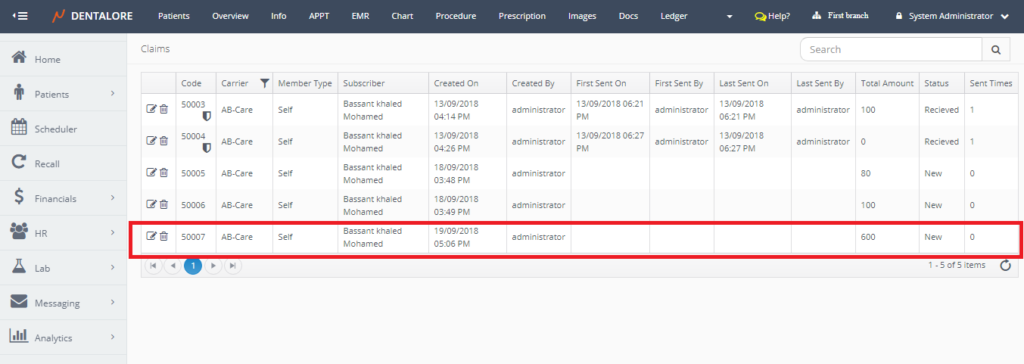
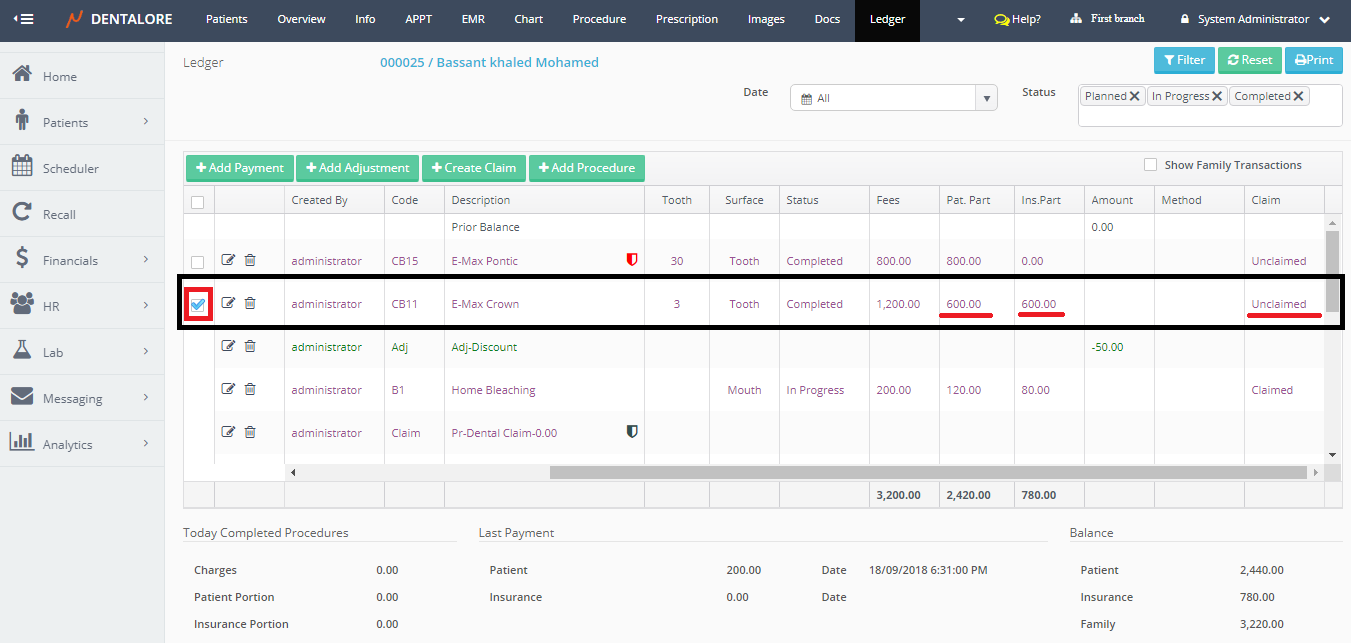
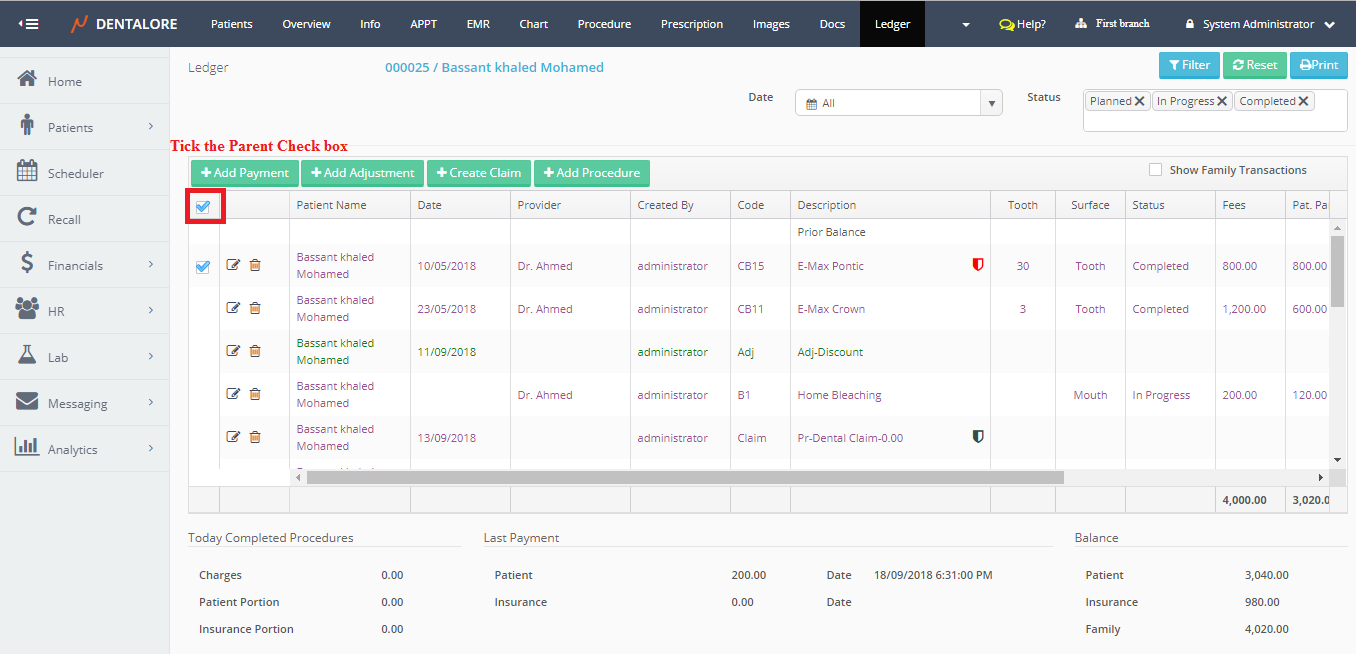
Note that: User has the ability to create one claim that contains many procedures. Also the user could create a claim for all procedures by one tick on the parent check box, then one claim created contains all of the patients' procedures. This could be done from either the Procedure or Open Ledger Views.
>> All procedures listed in the claim.
-- For more information about Accessing Claims, Check: Open Claim Transaction.
-- For more information about Claims grid view, Check: Claims View.
-- For more information about deleting Claims, Check: Delete Claim.